Latest Release: Version 6.1.4
The fastest SSH user manager for
Statelessly manage your entire team, while your team manages their own keys.
Trusted by more than 5,000 Teams Worldwide
















SECURE SSH Key Management
Userify works seamlessly across your Clouds and Datacenters

Security
Active Session Termination terminates active sessions of removed users for added security.
Learn more..
User Management
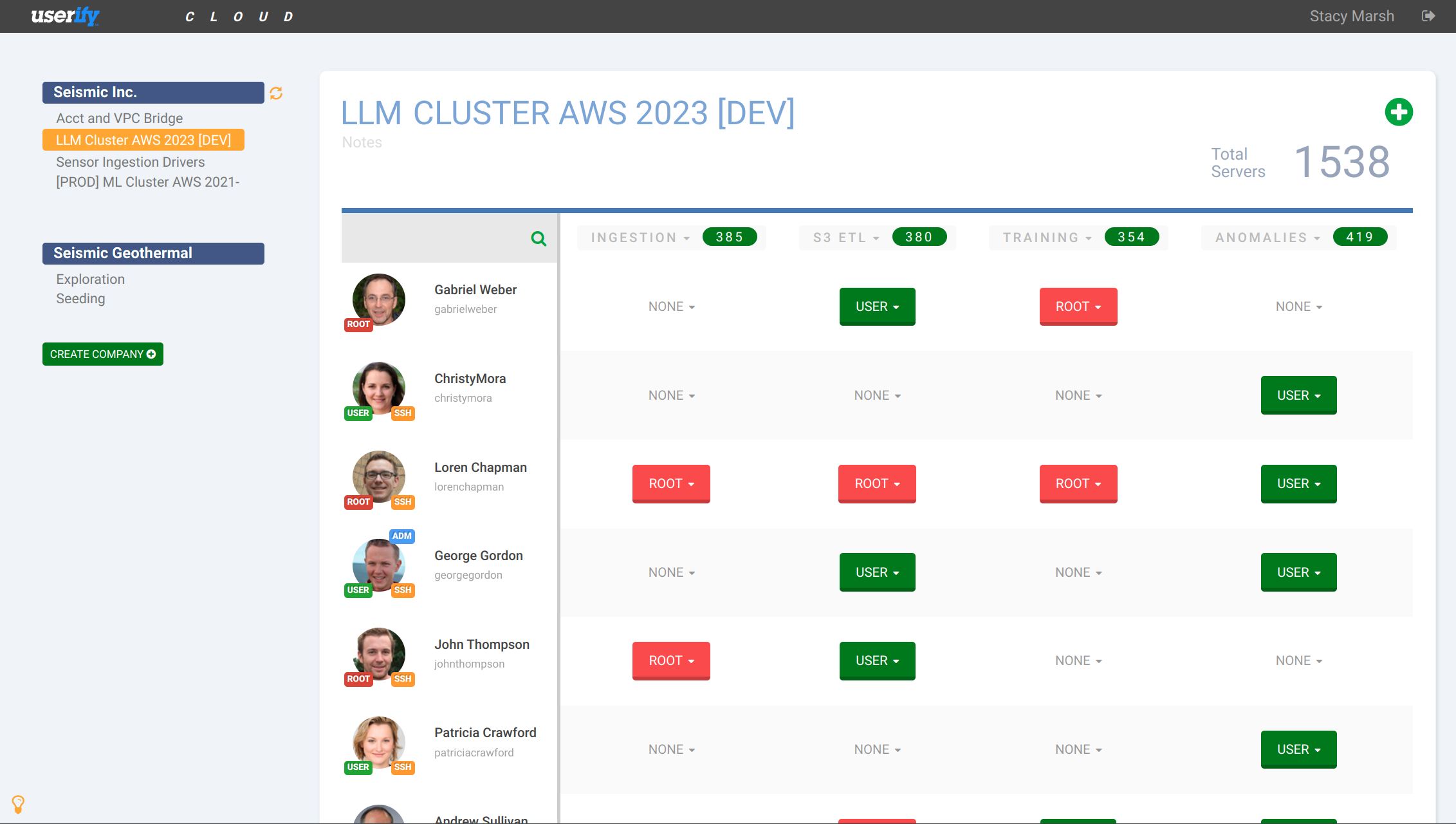
User-specific profile pages allow for easy management of access permissions for individual users.
Learn more..
Regulatory Compliance
Permission-Based Access ensures that access to sensitive information is restricted to authorized users.
Learn more..
Instant Integrations
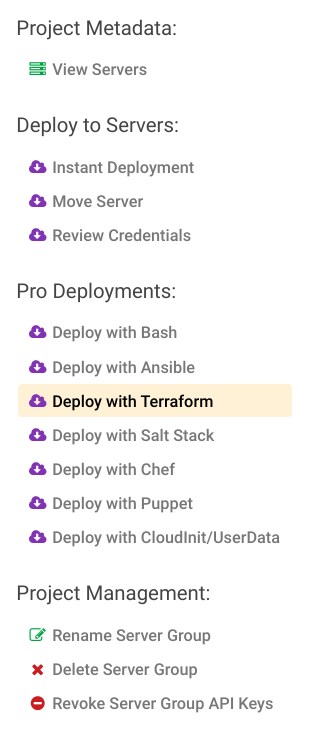
Easy Deployment options, such as "instant deploy" and "Deploy with Terraform" makes Userify simple to set up and manage.
Learn more..
Permissions Visibility
Userify presents a graphical layout of users and server groups, allowing easy identification of access permissions.
Learn more..
Easy Management
Servers stay in sync with Userify automatically, so there is no need to manually update access permissions.
Learn more..
Design to Scale
Cloud-Based Architecture for Auto-Scaling and Load-Balanced Virtual Machines
Learn more..
Active Directory
Userify Enterprise seamlessly enables centralized management of user access across Windows and Linux.
Learn more..Self-Hosted or SaaS
Installation: Fast and Easy
With Userify Cloud, no installation (or upgrade!) is ever needed.
Just invite your team, paste a one-line "instant deployment" to install, and you're done!
Instantly Install Userify Express:
Recommended: a freshly-installed Linux instance accepting inbound HTTPS (open port 443 in your firewall and optionally 80). For capacity sizing, Userify recommends two Vcores and 4GB RAM per 500 instances.
curl -sL https://i.userify.com | sudo -sEUserify Express Installation Notes
Connect to the web server dashboard (accept the temporary self-signed certificate). Servers cannot be deployed until SSL/TLS has been fully configured, but Userify can automatically provision an SSL (TLS) certificate using Lets Encrypt if you point a DNS record ("A" or address record) at the IP address that you install on.
Instantly Install Userify Enterprise:
Recommended: a freshly-installed Linux instance accepting inbound HTTPS (open port 443 in your firewall and optionally 80). For capacity sizing of Userify Enterprise, Userify recommends at least four Vcores and 4GB RAM per 500 instances.
curl -sL https://i.userify.com | sudo -sE # one-line installerUserify Enterprise Installation Notes
Connect to the web server dashboard (accept the temporary self-signed certificate). Servers cannot be deployed until SSL/TLS has been fully configured, but Userify can automatically provision an SSL (TLS) certificate using Lets Encrypt if you point a DNS record ("A" or address record) at the IP address that you install on.
Be sure to configure Active Directory / LDAP in the web dashboard before signing up your first users (even administrative) so that they can be created based on their AD accounts.
What's Userify?
Effortlessly Manage and Secure SSH Access
Userify provides secure administrative user administration for cloud instances and servers.
It's the first-ever completely decentralized solution; it does not rely on an authentication server that can be attacked or taken offline, preventing your administrators from accessing critical servers.
Userify deploys SSH cryptographic keys as well as configuring sudo roles via a zero-weight agent automatically deployed via your AMI, userdata, or wget magic.
Userify also has built in recipes for complementary tools like Ansible, Chef, Puppet, Salt Stack, and Terraform.